Email Parser Pipeline
Overview
The Email Parser Pipeline converts raw emails into structured documents that can be used by downstream pipelines such as indexing, routing, and analysis.
It extracts email metadata, body content, and attachments, enabling email datasets to be processed within document-based agents and workflows.
What It Does
- Reads emails from an Email datasource
- Converts emails into structured documents
- Extracts:
- Metadata (subject, sender, recipients, date)
- Email body content
- Attachments with filename and MIME type
- Optionally applies OCR to PDF attachments
- Outputs documents and attachments separately
Team deployment requirement
To use this pipeline, the team must be deployed with a dataset whose datasource type is Email.
Emails from the configured email connection are automatically used as input to the team.
Using the Email Parser Pipeline
Add to DocProcessorAgent
- Open Pipelines
- Select Email Parser Pipeline
- Drag and drop it into the DocProcessorAgent workflow
Attachment Handling
Attachments are extracted independently from the email body.
- Filenames and MIME types are preserved
- PDF attachments can optionally be processed using OCR
- Attachments can be forwarded to:
- Parser pipelines
- Writer pipelines
- Custom workflows
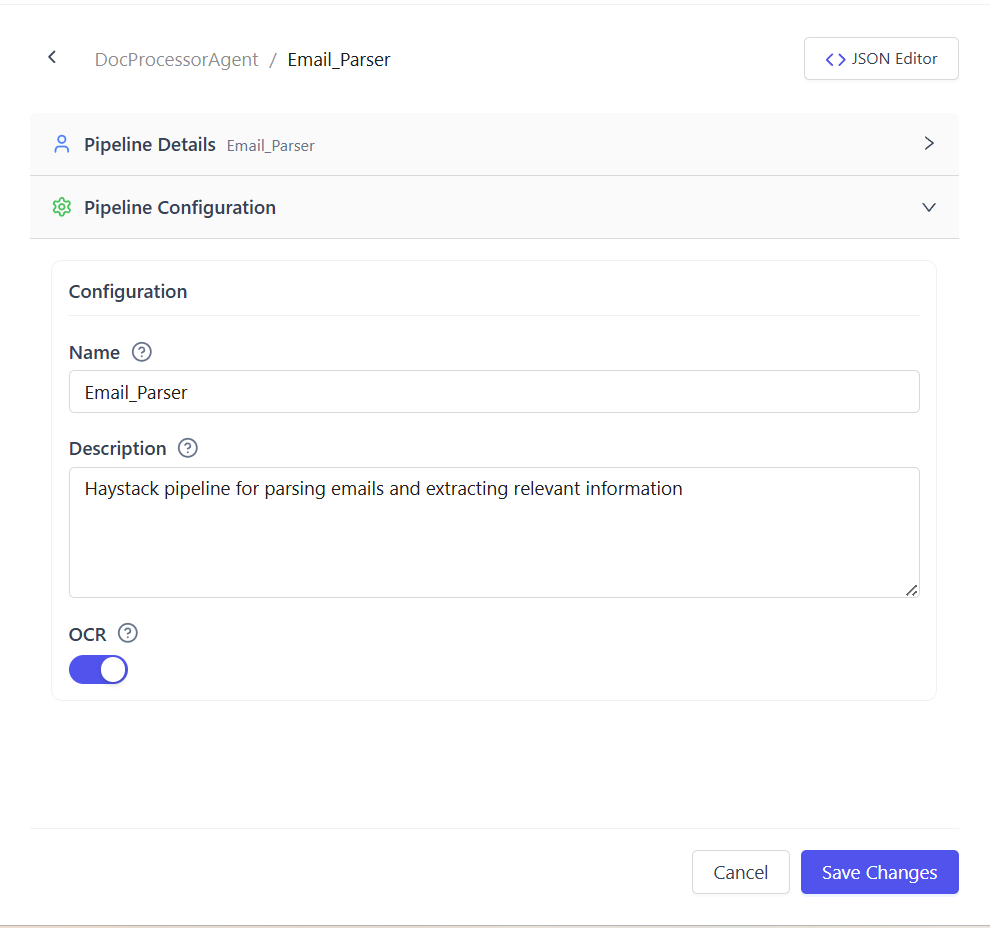
OCR for PDF Attachments (Optional)
OCR can be enabled to extract text from scanned or image-based PDF attachments.
OCR modes:
- Disabled (default)
Uses text extraction for digital PDFs - Enabled
Applies OCR to scanned or image-only PDFs
Enable OCR when emails contain scanned documents such as invoices or forms.
Input and Output
Input
- Emails from the configured Email dataset
- Raw email bytes or email objects
Output
- Documents containing email metadata and body content
- Attachments returned as ByteStreams with:
- filename
- type = email_attachment
- MIME type metadata
Common Use Cases
- Processing inbox emails as documents
- Extracting data from email attachments
- Indexing emails and attachments into vector stores
- Routing emails based on metadata or content
Summary
The Email Parser Pipeline transforms emails into structured, workflow-ready documents.
With optional OCR support and native Email dataset integration, it enables reliable email-based document processing.